Sketch to image
Turn your drawing into a rendered image with matching structure.
Add 1 reference image(s) before generating.
JPG, PNG or WebP · up to 4 images · 8 MB each
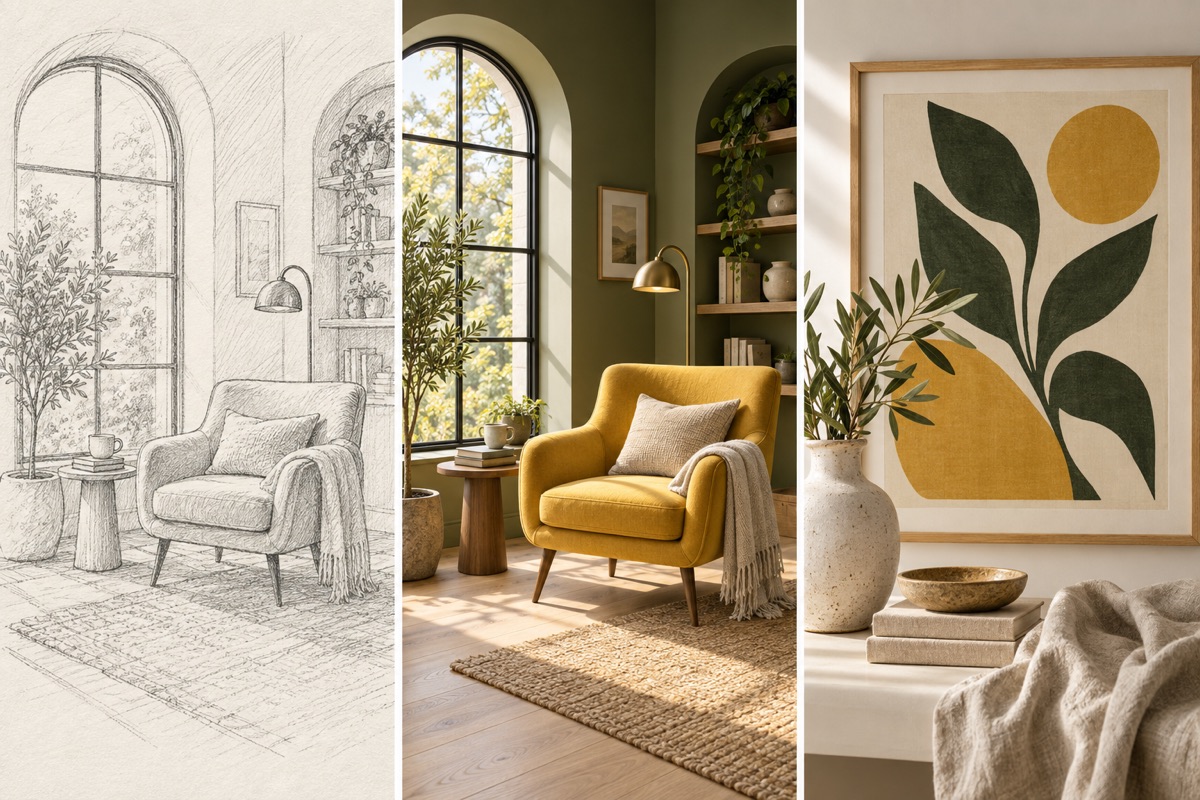
Turn a visual idea into a first draft
Use a sketch or reference to establish structure, then specify material, palette and framing. The output is an image that you can review before preparing final production files.
Sketch to image:How to get a useful result
Before you generate
Upload a clear original with the subject fully visible. JPG, PNG and WebP are supported, up to 8 MB per image and four reference images per task.
What to check in the result
Upload a clean drawing and name the intended materials. Check whether the model kept the original perspective and proportions.
A starting instruction you can edit
Turn the uploaded sketch into a realistic architectural visualization. Follow the lines, proportions, perspective and main geometry. Use natural timber, glass and soft daylight in a green setting. Do not add extra buildings.
Back to the editorUsing this tool
What should I upload?
Upload a clear original with the subject fully visible. JPG, PNG and WebP are supported, up to 8 MB per image and four reference images per task.
What should I check before using the image?
Upload a clean drawing and name the intended materials. Check whether the model kept the original perspective and proportions. This tool generates a new image from your instructions. Review faces, labels, lettering and geometry at full size. For another attempt, change one requirement at a time.